

Introduction:
Publishing useful content is an important part of building a successful website, but creating an article is only the beginning. You also need to make sure readers can navigate your pages easily, and search engines can understand what your content is about.
This is where on-page SEO becomes important.
On-page search engine optimization involves improving elements within individual webpages, including their content, titles, headings, URLs, images, and internal links.
For example, imagine publishing a detailed article about starting a WordPress blog. The information may be accurate and helpful, but if the article has a confusing title, unclear headings, unrelated images, and no links to supporting resources, visitors may find it difficult to use.
Improving these elements creates a better experience for readers while helping search engines interpret your content.
However, on-page SEO is not about repeating keywords or following a secret formula that guarantees higher rankings.
It is about making each webpage clear, relevant, accessible, and genuinely useful.
In this guide, you will learn how to optimize your website step by step using a practical on-page SEO checklist suitable for beginners.
1. What Is On-Page SEO?
On-page SEO refers to the process of improving individual webpages to make their content and structure more understandable to users and search engines.
It includes elements that website owners can directly manage, such as page titles, headings, written content, internal links, image descriptions, and URL structure.
For example, if you publish an article explaining how to create an XML sitemap, on-page optimization involves giving it a descriptive title, organizing the instructions logically, and ensuring the content answers the reader’s question.
These improvements help communicate the page’s purpose.
On-page SEO is different from off-page SEO, which generally involves external factors such as links and mentions from other websites.
It also overlaps with technical SEO, particularly in areas involving crawlability, indexing, page performance, and website accessibility.
These categories are useful for organizing SEO work, but they are not completely separate.
A technically accessible website still needs helpful content, and a useful article should also be presented in a way that visitors can navigate comfortably.
The goal is to create a webpage that fulfills its intended purpose without unnecessary obstacles.
2. Understand Search Intent Before Optimizing a Page
Search intent describes what someone hopes to accomplish when entering a query into a search engine.
Understanding this intent is one of the most important steps in creating relevant content.
For example, someone searching for “what is on-page SEO” probably wants a definition and explanation.
Someone searching for “on-page SEO checklist” is more likely looking for practical steps they can follow while optimizing a website.
Although both searches concern the same subject, the expected content differs.
If your article does not match the reader’s goal, adding more keywords is unlikely to solve the underlying problem.
Common Types of Search Intent
| Search intent | Example query | Expected content |
|---|---|---|
| Informational | What is SEO? | Explanation or educational guide |
| Navigational | Google Search Console login | A specific website or page |
| Commercial investigation | WordPress vs Blogger | Comparison |
| Transactional | Buy web hosting | Relevant purchase options |
Before optimizing an article, identify its primary purpose.
Review relevant search results to understand which questions readers commonly want answered.
Then develop your content around those needs.
Avoid adding unrelated sections simply because a keyword research tool suggests additional phrases.
A focused article that answers its main question clearly is generally more useful than one that attempts to cover every possible related topic.
3. Choose a Relevant Primary Keyword
A primary keyword is the main search phrase or topic you want an article to address.
Choosing one can help you establish a clear direction for your content.
However, keywords should not control every sentence or paragraph.
For example, if your article explains how to improve website loading speed, your primary keyword might be “how to improve website speed.”
Related terms such as image optimization, caching, website performance, and loading time may naturally appear throughout the explanation.
You do not need to force every variation into the content.
How to Research Keywords
Begin by identifying the question your article answers.
Use Google Search suggestions, Google Trends, Search Console data, and suitable keyword research tools to understand related searches.
Consider whether the topic is relevant to your website and whether you can provide a useful answer.
For a new blog, specific questions can be easier to address thoroughly than extremely broad subjects.
For example, “how to reduce image size in WordPress” provides a clearer content direction than the general phrase “website optimization.”
Choose keywords based on relevance and reader needs rather than relying entirely on search volume estimates.
4. Write a Clear and Descriptive SEO Title
The title element is an important part of a webpage’s HTML and can help search engines understand its subject.
Google may use the title element and other page information when generating the title link displayed in search results.
A good title should accurately describe the page without exaggeration.
For example:
Weak title: Best SEO Tips, SEO Guide, SEO Tricks, SEO Services
Improved title: On-Page SEO Checklist: A Beginner’s Step-by-Step Guide
The improved version explains the article’s purpose and gives readers a clearer expectation of what they will find.
Title Optimization Tips
Include the main topic naturally, preferably where it makes sense in the title.
Avoid repeating the same keyword unnecessarily.
Make each important page’s title distinct so readers and search engines can differentiate between your articles.
Do not promise results your content cannot support.
For example, a title claiming that a checklist will guarantee first-page rankings creates unrealistic expectations.
There is also no universal character count that guarantees Google will display a title in full. Search result presentation depends on available space and other factors.
Prioritize clarity over attempting to meet an arbitrary character limit.
5. Create a Useful Meta Description
A meta description is an HTML element that provides a short description of a webpage.
Search engines may use it when generating the descriptive snippet shown beneath a search result.
However, Google can also generate snippets from the visible content of a page when that information better matches a particular query.
This means writing a meta description does not guarantee that Google will display it exactly as written.
Nevertheless, a useful description can help communicate your article’s purpose.
Example Meta Description
For an article about on-page SEO:
“Learn how to improve your website with a practical on-page SEO checklist covering titles, headings, URLs, images, content, and internal linking.”
This description summarizes the article without making exaggerated promises.
Avoid copying the same generic description across every page.
Also, do not fill descriptions with repeated keywords or unrelated promotional statements.
A good meta description should help readers understand whether your page contains the information they are looking for.
Google’s documentation provides additional guidance on creating useful search snippets.
6. Use H1, H2, and H3 Headings Properly
Headings organize your content and help readers understand its structure.
They are particularly useful in detailed educational articles containing multiple sections.
The H1 heading normally identifies the page’s main subject.
H2 headings divide the article into major sections, while H3 headings organize supporting information within those sections.
For example:
EXAMPLE HEADING STRUCTURE
H1: How to Improve Website Speed
H2: Why Website Speed Matters
H2: How to Optimize Website Images
H3: Choose the Right Image Format
H3: Compress Images Before Uploading
H2: How to Test Website Performance
This structure makes the article easier to scan.
However, headings should not be selected solely to insert additional keywords.
Use descriptive wording that accurately represents the information below each heading.
Avoid skipping important explanations or creating unnecessary subheadings simply to make the article appear longer.
7. Create SEO-Friendly URLs
A URL is the address used to access a particular webpage.
A clear URL helps visitors understand where a link leads and can provide useful context about the page.
For example:
Clear URL: example.com/on-page-seo-checklist/
Less descriptive URL: example.com/post?id=78392
Readable URLs are generally easier to share and manage.
When creating a new article, choose a concise slug that reflects its main subject.
Use ordinary words and avoid unnecessary numbers, dates, or unrelated terms.
Hyphens are generally preferable for separating words in URL paths.
If your website already contains published articles, avoid changing their URLs without a genuine reason.
Changing a URL can affect existing links and requires proper redirect management.
If a URL change is necessary, implement an appropriate permanent redirect from the old address to the new one.
Update relevant internal links and ensure your sitemap reflects the preferred URL.
The objective is consistency and clarity rather than repeatedly changing URLs in search of a minor optimization advantage.
8. Publish Original, Helpful, and Accurate Content
Content quality is central to effective on-page SEO.
A well-optimized title cannot compensate for an article that fails to answer its reader’s question.
Google’s guidance encourages publishers to create content primarily for people rather than producing pages solely to attract search engine traffic.
This means focusing on usefulness, originality, and reliability.
For example, suppose you are writing an article about improving WordPress performance.
A generic article might recommend using a caching plugin without explaining what caching does.
A more useful guide would explain how caching works, when it may help, how to test the results, and what limitations readers should understand.
The second article provides practical information.
How to Improve Content Quality
Begin by identifying the main question your article needs to answer.
Research the subject using reliable sources and verify important technical information.
Explain complicated terms when writing for beginners.
Add relevant examples that demonstrate how readers can apply your advice.
Avoid presenting hypothetical results as genuine case studies.
If you mention statistics, provide appropriate sources and context.
Finally, remove repetitive paragraphs that exist only to increase the article’s length.
Google does not require a particular word count for content to rank well.
The appropriate length depends on the subject and the amount of information necessary to satisfy the reader.
9. Optimize Images for SEO and Accessibility
Images can improve an article when they help explain information, demonstrate a process, or make complicated concepts easier to understand.
However, large or poorly optimized images can create unnecessary loading delays.
Before uploading an image, choose suitable dimensions and compress it appropriately.
Modern image formats such as WebP and AVIF can help reduce file sizes when supported by your website and its users’ browsers.
Avoid uploading extremely large images when the page only displays them at a much smaller size.
Use Descriptive Image File Names
A descriptive file name can provide useful context.
For example:
on-page-seo-checklist.webp
This is more meaningful than a generic name such as IMG_00482.webp.
Write Useful Alt Text
Alternative text helps communicate meaningful image content to people using assistive technology and can provide search engines with information about an image.
For example:
“Illustration showing title tags, headings, internal links, and image optimization in an on-page SEO checklist.”
Avoid adding unrelated keywords to alt text.
If an image is purely decorative, its accessibility treatment may differ from that of an informative image.
The purpose is to accurately communicate useful information, not to create another location for keyword repetition.
10. Add Relevant Internal Links
Internal links connect pages within the same website.
They help readers discover related information and allow search engines to navigate your website’s content.
For example, an article about on-page SEO might naturally link to separate guides about keyword research, content writing, and Google Search Console.
These links give readers an opportunity to explore a subject in greater detail without making the original article unnecessarily long.
A well-organized internal linking structure can also help prevent important pages from becoming difficult to discover.
How to Build Internal Links Naturally
Start by identifying articles that discuss related subjects.
Choose anchor text that clearly describes the destination.
For example, “how to use Google Search Console” is more informative than an unrelated phrase such as “read this amazing guide.”
Place links where they support the surrounding explanation.
Do not insert links simply to meet a fixed number.
Also, review older articles when publishing new content. A relevant link from an existing article may help readers discover your latest guide.
Make sure links lead to working, accessible pages rather than deleted or unpublished URLs.
11. Use External Links to Support Important Information
External links connect your website to resources published elsewhere.
They can be useful when referencing official documentation, original research, or additional technical explanations.
For example, an article discussing Google’s indexing process may link directly to Google Search Central.
This allows interested readers to verify information or explore the subject in more detail.
However, adding external links does not automatically improve rankings.
The value of a link depends on whether it genuinely helps the reader.
When referencing technical recommendations, prioritize authoritative and relevant sources.
Check that the destination page supports the information you are discussing.
Avoid linking to unrelated websites solely for promotional purposes.
Paid or sponsored links should follow Google’s applicable link qualification policies.
Editorial references, meanwhile, should use clear anchor text and lead to relevant resources.
12. Improve Mobile Usability and Page Experience
Many people access websites through smartphones and tablets.
A webpage that looks attractive on a desktop computer may still be difficult to use on a smaller screen.
Common usability problems include text that is difficult to read, content extending beyond the screen, confusing navigation, and buttons positioned too close together.
A responsive website design helps content adapt to different screen sizes.
However, mobile usability involves more than selecting a responsive theme.
You should also test whether important content remains accessible and whether visitors can navigate comfortably.
Check Website Performance
Google’s Core Web Vitals provide measurements related to loading performance, responsiveness, and visual stability.
These include Largest Contentful Paint (LCP), Interaction to Next Paint (INP), and Cumulative Layout Shift (CLS).
You can investigate individual pages using PageSpeed Insights and review available real-world performance information through Google Search Console.
Do not assume that achieving a perfect performance score guarantees higher rankings.
Instead, use performance measurements to identify improvements that benefit actual visitors.
13. Check Indexing and Canonical Settings
Even a useful, well-organized article may struggle to appear in Google Search if indexing restrictions or technical problems prevent Google from processing it properly.
For example, a webpage containing an unintended noindex directive may be excluded from Google’s search index.
Similarly, Google may select another URL as the canonical version when multiple pages contain duplicate or substantially similar content.
Before publishing an important article, confirm that it is publicly accessible and that your indexing settings match your intentions.
How to Check a Page
Open Google Search Console and use the URL Inspection tool.
Enter the complete page address and review its available indexing information.
If the page is not indexed, examine the reported reason before making changes.
You should also check whether the page redirects unexpectedly or whether robots.txt restrictions prevent Googlebot from accessing important content.
For duplicate URLs, review your canonical configuration and internal linking consistency.
Remember that requesting indexing does not guarantee that Google will include a page in search results.
Indexing eligibility and ranking are separate considerations.
14. Review Your Content Before Publishing
On-page SEO should be part of your editorial process rather than an activity performed only after publishing.
Before making an article public, review both its information and its presentation.
Start by reading the complete article from the perspective of someone unfamiliar with the subject.
Does the introduction clearly explain what the reader will learn?
Do the headings follow a logical sequence?
Are important claims accurate and supported where necessary?
Next, review the title, meta description, URL, internal links, and images.
Check whether the article works properly on mobile devices and whether important content is accessible.
Finally, remove unnecessary keyword repetition, misleading statements, and unrelated sections.
A practical publishing checklist helps reduce avoidable mistakes, but it should not replace editorial judgment.
The objective is to create a page that is useful, accurate, and easy to understand.
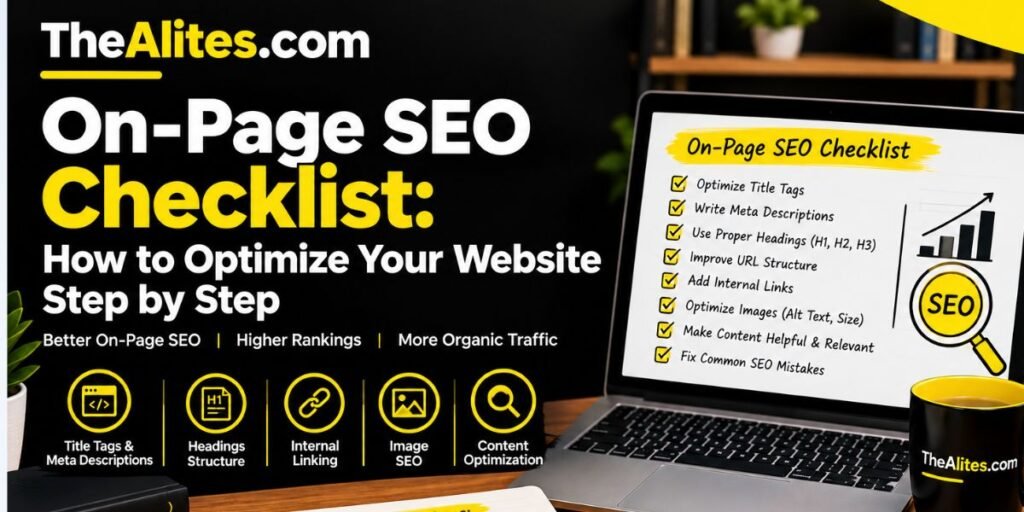
Complete On-Page SEO Checklist
Use this checklist before publishing or updating an important webpage.
Your On-Page SEO Progress
0/14Identify the main search intent Choose a relevant primary keyword Write a unique, descriptive SEO title Create an accurate meta description Use clear H1, H2, and H3 headings Create a readable URL Provide original, accurate, and helpful content Add relevant examples and explanations Optimize meaningful images and alt text Insert useful internal links Reference reliable external sources where relevant Review mobile usability and page performance Check indexing and canonical settings Proofread and verify important information
This checklist is a practical review tool, not a formula that guarantees rankings.
Frequently Asked Questions (FAQs)
1. What is on-page SEO in simple words?
On-page SEO involves improving individual webpages so their content and structure are clear, useful, and understandable to readers and search engines. It includes optimizing titles, headings, content, URLs, images, and internal links.
2. Is on-page SEO important for a new website?
Yes. Establishing clear page structures, useful content, and consistent internal linking from the beginning can help new website owners avoid unnecessary optimization problems later.
3. How many keywords should I use in one article?
There is no fixed number. Choose a clear primary topic and use relevant terms naturally when explaining it. Avoid repeating keywords unnecessarily or adding unrelated phrases solely to attract search traffic.
4. Does a meta description directly improve Google rankings?
Google does not use the meta description tag as a direct ranking signal. However, an accurate description may help communicate the page’s relevance when Google uses it to generate a search snippet.
5. How many internal links should a blog post contain?
There is no universal requirement. Add internal links when they help readers discover relevant information. The appropriate number depends on the article’s length, subject, and available supporting resources.
6. Is on-page SEO enough to rank on Google?
On-page SEO is important, but it does not guarantee rankings. Search visibility depends on multiple factors, including relevance, content quality, technical accessibility, competition, and Google’s ranking systems.
7. How often should I update on-page SEO?
Review pages when their information becomes outdated, their purpose changes, or you identify a meaningful improvement opportunity. Avoid making unnecessary changes solely because rankings fluctuate temporarily.
Conclusion
On-page SEO is an important part of creating a useful and accessible website.
By improving page titles, headings, URLs, content, images, and internal links, you can help readers navigate your website while making its information easier for search engines to understand.
However, successful optimization is not about following arbitrary keyword formulas or attempting to manipulate rankings.
Start by understanding the reader’s search intent and creating content that answers their questions accurately.
Then review the page’s structure, usability, technical accessibility, and supporting links.
Use the checklist in this guide whenever you publish or update an important article.
A consistent approach to on-page optimization can help you build a better-organized website and provide a more useful experience for your audience.
Sources & Further Reading
The following official Google resources provide additional guidance on on-page SEO, content quality, website optimization, and search visibility.