

Introduction:
Writing a blog post is easy. Writing one that people genuinely enjoy reading requires more thought, research, and planning.
Every day, thousands of new articles appear online. Some answer important questions, explain complicated topics, or help readers solve practical problems. Others repeat information already available elsewhere without offering anything particularly useful.
For new bloggers, understanding this difference is essential.
A high-quality blog post is not simply an article containing a large number of words, attractive images, or carefully placed keywords. It is content that fulfills its purpose and gives readers a satisfying experience.
For example, someone searching for instructions on creating a WordPress blog expects clear steps they can follow. They probably do not want to read several paragraphs about the history of the internet before reaching the actual instructions.
Successful informational writing begins by understanding what readers need.
In this guide, you will learn how to research blog topics, understand search intent, organize your articles, write engaging explanations, improve readability, and apply SEO without compromising content quality.
You will also discover common writing mistakes and a practical editing process that can help you create better articles consistently.
1. What Makes a Blog Post High Quality?
A high-quality blog post provides accurate, relevant, and understandable information that helps readers achieve a specific goal.
The exact characteristics depend on the subject.
A recipe article should provide ingredients, quantities, preparation instructions, and practical cooking guidance. A technical tutorial should explain the necessary steps clearly enough for readers to follow them.
An educational article, meanwhile, should make complicated information easier to understand.
Despite these differences, useful articles generally share several qualities.
They have a clear purpose, provide reliable information, avoid unnecessary repetition, and organize their explanations logically.
Originality also matters.
An article does not need to introduce a completely new subject to provide original value. It might explain an existing topic more clearly, demonstrate a practical process, compare alternatives thoughtfully, or offer genuine observations from experience.
For example, two websites might publish articles about improving WordPress performance.
One simply recommends installing a caching plugin. The other explains what caching does, when it is useful, how to test the results, and which problems readers should watch for.
The second article provides more practical assistance.
Google’s guidance on creating helpful content encourages publishers to consider whether readers leave a page feeling they have learned enough to accomplish their goals.
This is a useful principle for every blogger.
2. Understand Your Target Audience Before Writing
Before starting an article, identify the people you want to help.
Different audiences have different levels of knowledge, expectations, and information needs.
For example, an experienced web developer and someone creating their first website may both search for information about WordPress.
However, they probably require different explanations.
A beginner may need to understand what web hosting means, while an experienced developer might want detailed information about server configuration.
If you attempt to address both audiences without a clear structure, your article may become confusing.
How to Identify Your Audience
Start by considering the questions your intended readers are likely to ask.
Think about their experience level, the problem they want to solve, and the information they need before taking action.
You can learn about your audience through relevant online discussions, search suggestions, reader feedback, and existing website performance data.
For example, if your blog focuses on SEO beginners, readers may be unfamiliar with terms such as canonical URLs, indexing, or crawl budgets.
Explain important terminology before introducing advanced recommendations.
Avoid assuming that every reader already understands the subject.
At the same time, do not make your explanations unnecessarily complicated to appear more professional.
Clear writing helps readers understand information efficiently.
3. Choose a Topic That Solves a Real Problem
A useful article begins with a meaningful topic.
Some beginners select article ideas entirely from lists of high-volume keywords without considering whether they can provide helpful information about those subjects.
Although keyword research can reveal potential opportunities, search volume alone does not determine whether a topic is suitable.
A better approach is to identify specific problems your audience experiences.
For example, instead of choosing the broad topic “Website SEO,” you could write about why a newly published website is not appearing in Google Search.
The second topic addresses a recognizable problem and provides a clearer direction for the article.
How to Find Useful Blog Topics
Begin with questions related to your niche.
If you manage a blogging website, consider the difficulties beginners encounter when selecting a platform, publishing articles, improving website performance, or understanding search traffic.
Next, examine whether you can provide a complete and reliable answer.
A good topic should be relevant to your website, useful to its intended audience, and sufficiently focused to explain properly.
You should also consider whether the subject deserves a separate article or would fit better as a section within an existing guide.
Creating multiple articles that answer essentially the same question can lead to unnecessary content overlap.
A clear content strategy helps you develop related articles without repeatedly covering identical information.
4. Research Your Topic and Understand Search Intent
Research is one of the most important stages of writing an informative blog post.
Even if you already understand the subject, checking reliable sources can help you verify details, identify missing explanations, and avoid publishing outdated information.
Start by determining the search intent behind your chosen topic.
Search intent describes what someone hopes to accomplish through a search.
For example, someone searching for “what is keyword research” probably wants an explanation.
A person searching for “how to find keywords for a blog” likely expects a practical tutorial.
Although these topics are related, their intended outcomes are different.
Your article should reflect the reader’s actual goal.
How to Research Competitor Articles
Search for your topic and review several relevant results.
Examine how competing articles explain the subject, which questions they address, and where their explanations might be incomplete.
Do not copy their paragraphs or simply rearrange their headings.
Instead, use your research to understand the information readers expect.
Look for opportunities to provide clearer instructions, more useful examples, or additional context.
When researching technical subjects, prioritize official documentation and other reliable primary sources.
For example, Google’s own documentation is generally a better source for explaining Google Search Console features than an unrelated article containing outdated screenshots.
Keep track of important sources while researching so you can reference them accurately when publishing.
5. Create a Clear Article Outline Before Writing
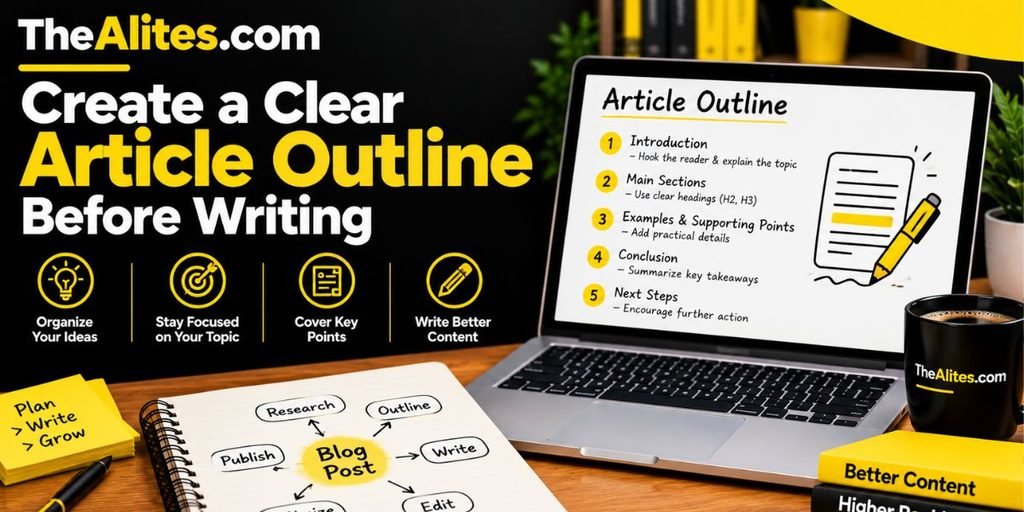
An outline gives your article direction.
Without one, writers sometimes repeat the same information across multiple sections or introduce unrelated ideas that distract from the main topic.
A useful outline identifies the central question and arranges supporting information in a logical order.
For example, an article explaining how to start a blog could begin by introducing blogging, then discuss choosing a niche, selecting a platform, setting up the website, publishing content, and monitoring performance.
Each section builds upon the previous explanation.
This structure makes the article easier to follow.
Example of a Simple Blog Outline
| Article section | Purpose |
|---|---|
| Introduction | Introduce the reader’s problem |
| Main explanation | Explain the topic clearly |
| Step-by-step guidance | Provide actionable instructions |
| Practical examples | Demonstrate important concepts |
| Common mistakes | Help readers avoid problems |
| FAQs | Answer related questions |
| Conclusion | Summarize the main takeaway |
Your outline should be flexible.
During research, you may discover an important question that deserves its own section.
Similarly, you might remove a planned heading if it repeats information already covered elsewhere.
The purpose of an outline is to improve clarity, not restrict your ability to explain the topic naturally.
6. Write an Introduction That Gives Readers a Reason to Continue
The introduction is often the first substantial part of your article that visitors read.
It should help them understand what the article covers and why the information is relevant to their situation.
One common writing mistake is beginning every article with broad statements that contribute little to the subject.
For example:
“Technology has changed the world, and everyone uses the internet nowadays.”
Although this statement may be broadly true, it does not provide meaningful information to someone searching for a specific WordPress tutorial.
A more useful introduction would directly acknowledge the reader’s problem.
For example:
“Is your WordPress website loading slowly even after installing a caching plugin? Several other factors may be affecting its performance.”
The second introduction identifies a recognizable situation and establishes a clear reason to continue reading.
After introducing the problem, briefly explain what readers will learn.
Avoid making unrealistic promises or claiming that your article contains secret techniques unavailable anywhere else.
An effective introduction should create accurate expectations that the rest of the article fulfills.
7. Use Headings and Paragraphs to Improve Readability
A well-organized article should be easy to navigate.
Readers do not always read every word from beginning to end. Some scan headings to locate a particular answer, while others read the complete guide.
Your structure should support both reading styles.
Use one main H1 heading to identify the article’s primary topic.
Organize major sections with H2 headings and use H3 headings when a section requires additional explanation.
Headings should describe the information that follows.
For example, “How to Submit an XML Sitemap” is more informative than a vague heading such as “Important Things to Know.”
Paragraph length also affects readability.
Extremely long paragraphs can make articles difficult to follow, especially on mobile devices.
However, this does not mean every sentence needs to become a separate paragraph.
Group related ideas together and begin a new paragraph when the explanation changes direction.
Lists and tables can be helpful when comparing information or presenting a sequence of steps.
Use them when they genuinely improve understanding rather than inserting them into every section.
8. Explain Important Points With Practical Examples
Examples help readers connect general information with real situations.
A technical explanation may be accurate but difficult to understand until someone sees how it applies in practice.
For example, consider an article discussing internal linking.
You could explain that internal links connect pages within the same website.
However, a practical example makes the concept clearer.
Imagine a blog containing an article about keyword research and another article about writing SEO-friendly content.
The keyword research article could naturally link to the content-writing guide when explaining how selected keywords are used during article creation.
This demonstrates how internal linking helps readers discover related information.
Examples should also be accurate and clearly presented.
If you are describing a hypothetical situation, do not present it as an actual case study.
Similarly, avoid inventing traffic statistics, customer results, or personal experiences to make your content appear more convincing.
Where possible, use genuine screenshots, original demonstrations, or verifiable information.
A well-chosen example can often explain a complicated idea more effectively than several paragraphs of general advice.
9. Make Your Writing Original and Useful
Original writing is not simply a matter of replacing words from another website with synonyms.
An article can have different wording while still offering very little independent value.
Meaningful originality comes from the work involved in researching, explaining, evaluating, and presenting information.
For example, suppose several websites explain how to use Google Search Console.
You can create a useful article on the same topic by developing your own beginner-friendly workflow, explaining confusing reports, and including original demonstrations.
The subject may already be familiar, but your explanation can still provide something worthwhile.
How to Add Original Value
Begin by identifying what readers may find confusing about the subject.
Then develop explanations that address those difficulties.
You can include practical comparisons, original diagrams, relevant observations, and examples that help readers understand how to apply the information.
If you have personally tested a process, describe what you actually did and what you observed.
If you have not tested something, avoid claiming firsthand experience.
Using AI tools for brainstorming or editing does not remove your responsibility to review accuracy, originality, and usefulness.
Google’s guidance emphasizes people-first content rather than content produced primarily to manipulate search rankings.
10. Apply SEO Naturally Without Keyword Stuffing
Search engine optimization can help search engines understand your article and make your content easier for relevant audiences to discover.
However, SEO should support the reader’s experience rather than interfere with it.
Begin by selecting a primary topic that accurately represents your article.
Use a descriptive title and organize the information with clear headings.
Include relevant terminology naturally when explaining the subject.
For example, an article about writing high-quality blog posts may naturally discuss content research, search intent, article structure, readability, and editing.
There is no need to repeat the exact primary keyword in every paragraph.
Google’s SEO Starter Guide explains that its systems can understand relationships between different words and search queries without requiring every possible keyword variation to appear in the content.
Additional On-Page SEO Considerations
Write a concise meta description that accurately summarizes the article.
Create a readable URL, add relevant internal links, and use descriptive alternative text for meaningful images.
Avoid misleading titles that promise information your article does not provide.
Remember that Google does not require articles to reach a particular word count to perform well.
The appropriate length depends on how much explanation the topic genuinely needs.
A complete answer is more valuable than unnecessary paragraphs written solely to increase article length.
11. Add Images That Support Your Content
Images can make informational articles easier to understand.
They are particularly useful when explaining software interfaces, technical processes, comparisons, or information that benefits from visual presentation.
For example, a guide about Google Search Console could include a screenshot showing where readers can find the Performance report.
An article about content planning might use a simple diagram illustrating the relationship between audience research, topic selection, writing, and publication.
However, images should have a clear purpose.
Adding unrelated decorative pictures after every few paragraphs does not necessarily improve the reading experience.
Use visuals that support the surrounding explanation.
Image Optimization Tips
Choose suitable image dimensions and use modern formats such as WebP or AVIF when supported by your website.
Compress images appropriately to reduce unnecessary file sizes without making important details difficult to read.
Give image files descriptive names and add useful alt text when the image conveys information.
For example:
blog-content-planning-process.webp
Alt text: “Diagram showing the main stages of planning a blog article.”
Avoid stuffing image descriptions with unrelated SEO keywords.
Also, use original, appropriately licensed, or otherwise authorized images.
Do not assume that an image is free to reuse simply because it appears in Google Images.
12. Use Internal and External Links Properly
Links can help readers find additional information without making every article unnecessarily long.
Internal links connect pages within your own website.
For example, a beginner blogging guide might link to a separate article explaining how to use Google Search Console.
This gives interested readers a natural path to explore the related subject.
External links connect readers to relevant resources outside your website.
They can be particularly useful when referencing official documentation, original research, or technical explanations.
However, links should be selected based on relevance rather than quantity.
Do not add unrelated external links simply because someone recommends including a fixed number in every article.
Use descriptive anchor text that explains the destination.
Instead of writing “click here,” consider using wording such as “Google’s official SEO Starter Guide.”
Check your links before publishing and review them periodically to identify broken or outdated destinations.
A useful link should provide additional value to readers.
13. Edit Your Article Before Publishing
Writing the first draft is only part of the content creation process.
Editing allows you to improve clarity, correct mistakes, remove unnecessary information, and verify important details.
A practical editing process begins by reviewing the article’s overall structure.
Ask whether the introduction accurately reflects the content and whether the sections follow a logical order.
Next, examine individual paragraphs.
Remove repeated ideas and replace vague statements with clearer explanations.
Check spelling, grammar, punctuation, and formatting.
However, do not focus exclusively on grammatical correctness.
An article can be grammatically perfect while still containing inaccurate or unhelpful information.
Verify technical instructions, statistics, dates, and external references before publishing.
A Simple Editorial Review
| Review area | What to check |
|---|---|
| Accuracy | Are factual claims correct? |
| Search intent | Does the article answer the main question? |
| Originality | Does it provide meaningful independent value? |
| Readability | Are explanations clear and organized? |
| SEO | Are the title, headings and URL descriptive? |
| Links | Are internal and external links relevant? |
| Images | Do visuals support the article? |
| Conclusion | Does the article finish with a useful summary? |
Reading the article aloud can also help identify awkward sentences or unnecessarily complicated explanations.
If possible, ask someone unfamiliar with the topic to review your draft and identify anything they find confusing.
14. Common Blog Writing Mistakes to Avoid
Even experienced writers occasionally produce content that needs improvement.
For beginners, recognizing common mistakes early can make the writing process more effective.
One frequent mistake is focusing on article length instead of information quality.
A writer may continue adding paragraphs after answering the main question because they believe longer articles automatically perform better.
Another mistake is publishing content without verifying its factual accuracy.
This is particularly problematic for technical tutorials, where outdated instructions may prevent readers from completing the intended task.
Some bloggers also copy competing article structures too closely, resulting in content that contributes little original value.
Other problems include misleading titles, unnecessary keyword repetition, irrelevant images, and excessive promotional language.
A particularly important mistake is publishing an article without reviewing it from the reader’s perspective.
Before publishing, consider whether someone unfamiliar with the subject could understand and apply the information.
If the article leaves important questions unanswered, improve it before moving on to the next topic.
15. Update Existing Articles Instead of Only Publishing New Ones
Publishing new content is useful, but maintaining existing articles is equally important.
Information changes over time.
Software interfaces receive updates, tools introduce new features, and previously accurate instructions may become outdated.
For example, a tutorial about Google Search Console may require changes when Google updates its reporting interface or introduces different terminology.
Regular content reviews help you identify these problems.
Start by examining articles that contain technical instructions, time-sensitive information, or references to external resources.
Check whether the information remains accurate and whether screenshots still reflect the process being explained.
You can also use Search Console to identify articles receiving relevant impressions but limited engagement from search results.
However, do not rewrite an article simply because its traffic fluctuates over a short period.
Investigate whether there is a meaningful reason to improve it.
When updating an article, make substantive changes that benefit readers rather than changing only the publication date to create an appearance of freshness.
16. A Practical Blog Writing Workflow for Beginners
Creating a repeatable writing process can make blogging easier to manage.
Instead of approaching every article differently, establish a simple workflow that covers the most important stages of content Writing development.
The following example can be adapted according to your topic, experience, and available time.
| Stage | Main activity |
|---|---|
| 1. Topic selection | Identify a relevant reader problem |
| 2. Research | Review reliable sources and search intent |
| 3. Outline | Organize the main sections |
| 4. First draft | Explain the subject naturally |
| 5. Original value | Add useful examples and demonstrations |
| 6. SEO review | Improve titles, headings and linking |
| 7. Editing | Check accuracy, clarity and repetition |
| 8. Publication | Publish and verify the final page |
| 9. Maintenance | Review feedback and update when needed |
This process is not intended to make writing mechanical.
Its purpose is to reduce avoidable mistakes and ensure that important editorial tasks are not forgotten.
Over time, you can adjust the workflow to match your preferred writing style.
Frequently Asked Questions (FAQs)
1. What makes a blog post high quality?
A high-quality blog post provides accurate, relevant, and understandable information that helps readers achieve a specific goal. It should have a clear structure, meaningful original value, and sufficient explanation for its intended audience.
2. How long should a high-quality blog post be?
There is no universal ideal word count. The appropriate length depends on the topic and the information readers need. A focused 1,000-word tutorial may be more useful than a repetitive 3,000-word article.
3. How can beginners improve their blog writing skills?
Beginners can improve by researching topics carefully, creating outlines, writing regularly, studying reliable examples, and reviewing their drafts. Seeking constructive feedback can also help identify unclear explanations.
4. Should I use keywords in every paragraph?
No. Keywords should appear naturally where relevant. Repeating the same phrase unnecessarily can make content difficult to read and may create keyword-stuffing problems.
5. Are images necessary in every blog post?
Not necessarily. Images are useful when they help explain information, demonstrate a process, or improve understanding. An article should not include unrelated images simply to satisfy a fixed image count.
6. Can AI-generated content qualify for Google AdSense?
Using AI as part of content creation does not automatically determine eligibility. The resulting website must still comply with applicable policies and provide original, useful content. Publishers remain responsible for accuracy, quality, and compliance. AdSense approval is not guaranteed.
7. How often should I update old blog posts?
Review articles when information changes, links become outdated, or readers identify problems. Technical and time-sensitive content may require more frequent updates than evergreen educational articles.
Conclusion
Writing high-quality blog posts begins with understanding what readers want to learn.
A useful article combines careful research, a clear structure, accurate explanations, and practical information that helps visitors achieve their goals.
Instead of concentrating exclusively on keywords or article length, focus on answering the main question thoroughly and making the information easy to understand.
Use headings, examples, images, and links when they genuinely support the reader’s experience.
Before publishing, review your article for accuracy, originality, clarity, and unnecessary repetition.
As your website develops, continue improving existing content rather than relying entirely on new publications.
The goal of effective blog writing is not simply to attract someone to a webpage. It is to provide information worth reading, understanding, and using.
Sources & Further Reading
For additional guidance on creating useful content, improving website structure, and following Google’s publishing recommendations, explore these official resources: