
Introduction:
Starting a blog is one of the simplest ways to share your knowledge, develop your writing skills, and build an online presence. Whether you want to write about technology, travel, education, personal finance, or digital marketing, a blog gives you a platform to reach people interested in your chosen subject.
However, creating a successful blog involves more than purchasing a domain name and publishing a few articles.
Many beginners start blogging with enthusiasm but struggle after a few months because they have no clear content strategy, choose an unsuitable niche, or expect immediate traffic.
The good news is that you do not need advanced technical knowledge or a large budget to get started. How to Start a Successful Blog: With the right planning, basic SEO knowledge, and a willingness to create useful content, you can gradually build a blog that serves a specific audience.
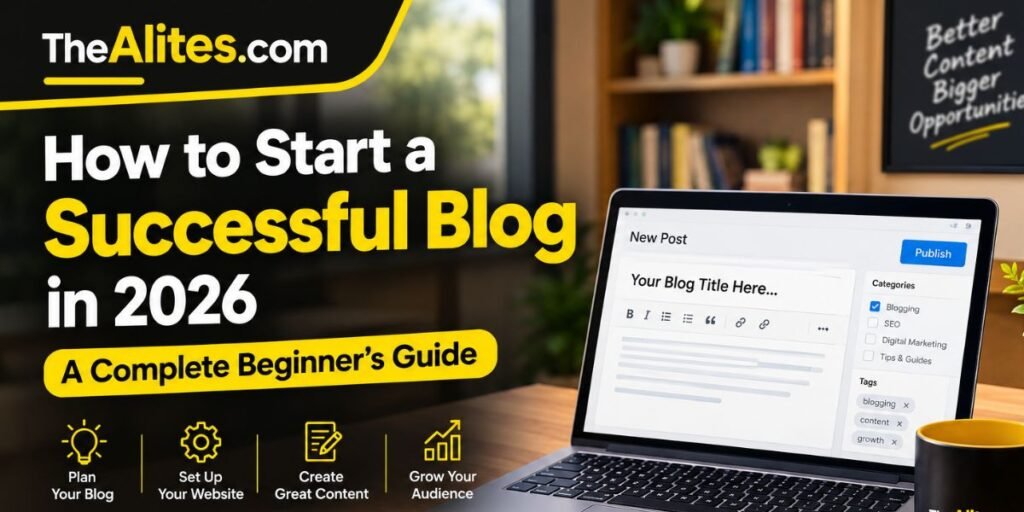
This beginner-friendly guide explains how to start a blog in 2026, choose the right blogging platform, create your first articles, improve search visibility, and avoid common mistakes.
You will also learn how to develop a realistic blogging strategy instead of depending on shortcuts or unrealistic promises of overnight success.
1. What Is a Blog, and How Does Blogging Work?
A blog is a website or section of a website where content is published regularly or periodically. Individual pieces of content are usually called blog posts or articles.
Blogs can cover almost any subject, from cooking and fitness to software tutorials and business education.
Unlike a traditional static website that primarily displays fixed information, a blog usually contains an expanding collection of articles organized into categories.
For example, a technology blog might publish smartphone reviews, troubleshooting guides, software tutorials, and explanations of new digital tools.
Visitors can discover these articles through search engines, social media platforms, newsletters, or links from other websites.
A successful blog generally has three important characteristics: a clearly defined audience, useful content, and an organized website structure.
Blogging does not require publishing something every day. What matters more is whether your content provides value and whether visitors can easily find the information they need.
Can Beginners Still Start a Blog in 2026?
Yes. Blogging remains a practical way to publish helpful information online.
However, the internet contains an enormous amount of existing content, so simply rewriting information already available elsewhere is unlikely to create a meaningful advantage.
New bloggers should concentrate on specific reader problems, clear explanations, original experiences, and well-organized articles.
For example, instead of creating another generic article about smartphones, you could explain how to solve a particular problem experienced by users of a specific device.
This approach helps you create content with a clear purpose.
2. Choose the Right Blogging Niche
Choosing a niche is one of the most important decisions when starting a blog.
A niche is the main subject or category your website focuses on.
Some bloggers create websites covering many unrelated topics, while others concentrate on a specific area of expertise.
For beginners, starting with a clearly defined niche often makes content planning and audience development easier.
For example, a website covering every possible technology topic may find it difficult to establish a consistent publishing direction. glorvix.com
A blog focused specifically on WordPress tutorials has a clearer audience and can develop related articles around common user problems.
However, selecting a niche should not depend entirely on search volume or potential advertising revenue.
You should also consider whether you understand the topic, enjoy researching it, and can continue publishing useful information over time.
Examples of Blogging Niches
| Main niche | Possible subtopics |
|---|---|
| Technology | Software guides, troubleshooting, online tools |
| Education | Study methods, learning resources, tutorials |
| Blogging | WordPress, content writing, SEO |
| Travel | Destination guides, planning, travel tips |
| Food | Recipes, cooking techniques, kitchen guides |
| Home Improvement | Maintenance, organization, DIY projects |
How to Select Your Niche
Start by writing down five subjects you are genuinely interested in.
Next, identify common questions people ask about each subject.
Use search engines, relevant online communities, and keyword research tools to understand what information people are looking for.
Finally, evaluate whether you can create at least 20–30 genuinely useful article ideas within that niche.
You do not need to publish all these articles immediately. This exercise simply helps determine whether your chosen subject has enough depth for a long-term blog.
3. Select a Suitable Blogging Platform
A blogging platform is the software or service you use to create, manage, and publish your website.
Different platforms offer different levels of flexibility, customization, and technical control.
For beginners, the right choice depends on their budget, technical confidence, and long-term goals.
Two commonly used options are WordPress and Blogger.
WordPress

WordPress
WordPress is a widely used content management system that supports blogs, business websites, and other types of online publications.
Self-hosted WordPress gives website owners considerable control over their website’s design, plugins, content structure, and technical settings.
It is particularly useful for bloggers who want flexibility as their websites grow.
However, using self-hosted WordPress usually involves purchasing hosting and maintaining the website.
Blogger

Blogger
Blogger is a blogging service provided by Google. It allows users to create and publish blogs without purchasing separate web hosting.
It offers a straightforward interface and can be suitable for beginners who want to learn basic blogging without managing their own hosting infrastructure.
However, customization and control are more limited compared with a self-hosted WordPress installation.
WordPress vs Blogger
| Feature | WordPress.org | Blogger |
|---|---|---|
| Separate hosting | Required | Not required |
| Custom domain | Supported | Supported |
| Customization | Extensive | More limited |
| Plugin ecosystem | Extensive | Limited |
| Maintenance | Owner-managed | Platform-managed |
| Suitable for beginners | Yes | Yes |
Neither platform automatically guarantees better Google rankings or AdSense approval.
Choose the platform that best supports your publishing needs.
4. Register a Domain Name and Set Up Hosting
Your domain name is the address visitors enter into their browsers to access your website.
For example, a domain might look like exampleblog.com.
Choosing a suitable domain name is important because it becomes part of your website’s identity.
A good domain should be relatively short, easy to remember, simple to spell, and relevant to your website or brand.
Avoid complicated spellings, excessive hyphens, or names that closely imitate established businesses.
You also do not need to force your main SEO keyword into the domain name.
A memorable brand name can work perfectly well for an informational blog.
Choosing Web Hosting
If you select self-hosted WordPress, you will need a hosting provider.
Web hosting stores your website’s files and makes them accessible through the internet.
When comparing hosting services, consider reliability, customer support, backup options, SSL availability, storage, and overall performance.
Do not select a provider based entirely on introductory discounts. Review renewal prices and understand what is included in the package.
For a small beginner blog, a suitable shared hosting plan may be sufficient.
You can consider upgrading your hosting as your website’s technical requirements and visitor numbers increase.
5. Set Up Your Blog and Create Essential Pages
After purchasing your domain and arranging hosting, the next step is setting up your website.
If you are using WordPress, many hosting providers offer installation tools that simplify the initial setup process.
Once WordPress is installed, choose a clean, responsive theme that works well on both desktop and mobile devices.
Avoid installing unnecessary plugins simply because they offer attractive features.
Too many poorly maintained plugins can create compatibility, security, or performance problems.
Instead, select reliable tools that serve a genuine purpose.
Next, configure your website title, permalink structure, navigation menus, and basic security settings.
Before publishing articles, create the essential pages visitors may need to understand your website.
Important Pages for a New Blog
About Us: Explain what your website covers, who creates the content, and why the blog exists.
Contact Us: Provide a genuine method for readers to contact the website owner or editorial team.
Privacy Policy: Explain relevant data collection practices, cookies, analytics, and advertising disclosures where applicable.
Terms and Conditions: Explain relevant website usage conditions when appropriate for your site.
These pages help make your website more transparent and easier for visitors to understand.
However, simply creating them does not guarantee advertising approval or improved search rankings.
The information should accurately reflect how your website operates.
6. Create a Content Strategy Before Publishing Articles

One of the biggest mistakes beginners make is publishing articles without deciding what their blog should cover.
A content strategy helps you organize your ideas, identify your audience, and develop related articles around important subjects.
Instead of choosing random topics every week, create a simple content plan.
For example, suppose you are starting a blog about website optimization.
You could organize your content into four categories: beginner SEO, keyword research, website performance, and content writing.
Each category can contain articles addressing specific reader questions.
This approach creates a more organized experience and makes it easier to develop relevant internal links.
Example Content Plan
| Category | Article idea |
|---|---|
| Beginner SEO | What Is SEO and How Does It Work? |
| Keyword Research | How to Find Keywords for a New Blog |
| Website Performance | How to Improve Website Loading Speed |
| Content Writing | How to Write a Helpful Blog Post |
| Technical SEO | How to Create and Submit an XML Sitemap |
Start by preparing a list of approximately 15–20 topics.
Prioritize questions that you can answer accurately and thoroughly.
You can then publish articles at a manageable pace.
A realistic schedule that allows time for research, writing, editing, and updating content is generally better than rushing to publish something every day.
7. Learn Basic Keyword Research and Search Intent
Keyword research helps you understand the words and phrases people use when searching for information online.
For example, someone interested in starting a blog might search for “how to create a blog,” “best blogging platform for beginners,” or “how much does blogging cost?”
These searches are related, but they may represent different information needs.
Understanding those differences can help you create articles that answer specific questions.
You can begin your research using Google Search suggestions, Google Trends, and other keyword research resources.
However, do not choose article topics solely because a tool displays a high search volume.
A keyword should also be relevant to your niche and suitable for the type of information you can provide.
Understanding Search Intent
Search intent refers to what someone wants to accomplish when entering a query.
For example, a person searching for “how to install WordPress” is probably looking for practical instructions.
Someone searching for “WordPress vs Blogger” likely wants a comparison.
Your article should match that expectation.
Before writing, search for your target topic and review the types of pages that currently address it.
Look for common reader questions and identify useful information that existing articles may not explain clearly.
Use this research to develop an original article rather than copying competitors.
8. Write Your First High-Quality Blog Post
Your first article does not need to be perfect, but it should have a clear purpose.
Start by identifying one main question that the article will answer.
Next, prepare an outline containing the important sections needed to explain the subject properly.
A beginner-friendly article usually benefits from a clear introduction, descriptive headings, practical explanations, relevant examples, and a useful conclusion.
Avoid writing lengthy introductions that delay the answer readers came to find.
For example, if your article explains how to create an XML sitemap, readers should quickly understand what a sitemap is and how to create one.
Additional background information should support the main topic rather than distract from it.
What Makes a Blog Post Helpful?
Useful content generally provides accurate information, understandable explanations, and enough detail for readers to achieve their goals.
Where relevant, include examples based on genuine experience or clearly identified hypothetical situations.
If you use statistics, technical claims, or information from external research, provide appropriate sources.
Images and screenshots can also help readers understand complicated processes.
However, avoid adding decorative images that do not contribute anything meaningful to the article.
After writing, review your content carefully.
Correct grammar mistakes, remove repeated ideas, verify important information, and check whether each section answers the question promised by its heading.
Google’s people-first content guidance encourages publishers to create content primarily for readers rather than manipulating search rankings.
9. Optimize Your Blog for Search Engines
Search engine optimization, commonly called SEO, involves making your website easier for search engines to understand while improving its usefulness for visitors.
For a beginner blog, SEO does not need to be unnecessarily complicated.
Start with the fundamentals.
Give each important article a descriptive title that accurately represents its content.
Use a clear main heading and organize supporting information with appropriate subheadings.
Create readable URLs instead of unnecessarily long addresses containing unrelated words or numbers.
For example:
Clear URL: example.com/start-a-blog/
Less helpful URL: example.com/post-23982-new-blogging-guide-information/
You should also connect related articles through natural internal links.
When adding images, use descriptive alternative text where appropriate so the image’s purpose or content can be understood by people using assistive technology.
Make sure your website is mobile-friendly and that important content is accessible without unnecessary obstacles.
Finally, avoid repeating your target keyword in every paragraph.
Use natural language and focus on answering the reader’s question.
SEO should support your content, not make it difficult to read.
10. Set Up Google Search Console and Analytics
After publishing your initial content, you need a way to monitor how your website performs.
Two useful tools are Google Search Console and Google Analytics.

Google Search Console
A free tool that helps website owners monitor their presence in Google Search.
It provides information about search queries, impressions, clicks, indexing status, and certain technical issues.
You can also submit your XML sitemap and inspect individual URLs.

Google Analytics
A website measurement platform that helps you understand how visitors interact with your content.
Depending on your configuration and applicable consent requirements, Analytics can provide information about website traffic, engagement, and visitor behavior.
These tools serve different purposes.
Search Console helps you understand Google Search performance, while Analytics provides broader information about website usage.
For a new blog, begin by monitoring which pages Google has discovered and whether important URLs are indexed.
Do not become discouraged if your website receives very little traffic during its early stages.
Use the available information to identify technical problems and improve your content gradually.
11. Promote Your Blog Without Depending Entirely on Google
Search engines can become an important source of blog visitors, but they should not necessarily be your only discovery channel.
You can introduce your articles to relevant audiences through social media, online communities, newsletters, and other appropriate platforms.
For example, if you publish a detailed WordPress troubleshooting guide, sharing it in a community where people discuss WordPress problems may help interested readers discover it.
However, promotion should be relevant and respectful.
Avoid posting the same link repeatedly across unrelated groups or communities.
Instead, participate in discussions, answer questions when you have useful knowledge, and share your article when it genuinely helps.
You can also develop an email newsletter for readers who want to receive future updates.
Building an audience takes time, but returning visitors can help you understand which subjects people find most valuable.
Focus on developing trust rather than chasing temporary traffic spikes.
12. Understand Blog Monetization and Google AdSense
Some people start blogging because they enjoy writing, while others eventually want to generate income from their websites.
There are several potential monetization methods, including display advertising, affiliate marketing, sponsored content, and selling relevant products or services.
Google AdSense is one advertising program that allows eligible website owners to display advertisements on their websites.
However, creating a blog does not automatically qualify it for AdSense.
Your website must comply with Google’s applicable program policies and eligibility requirements.
Google evaluates websites through its review process, and approval is not guaranteed simply because a website contains a particular number of articles.
For this reason, beginners should avoid treating monetization as their only objective.
Start by creating original, useful content and developing a website that visitors can navigate comfortably.
Make sure your website provides accurate information about its purpose and handles user data appropriately.
If you eventually decide to apply for AdSense, review Google’s official requirements and confirm that your website complies with the relevant policies.
A sustainable blog should offer value to its audience regardless of whether advertising has been enabled.
13. Common Blogging Mistakes Beginners Should Avoid
Starting a blog is relatively straightforward, but maintaining one requires planning and patience.
One common mistake is choosing a niche solely because someone claims it generates high advertising revenue.
If you have little interest in the subject, consistently researching and creating useful content may become difficult.
Another mistake is publishing large numbers of articles without reviewing their quality.
More content is not automatically better content.
Some beginners also spend too much time changing website themes, installing plugins, or adjusting small design details instead of improving their actual articles.
A clean, functional website is important, but unnecessary customization should not prevent you from publishing useful information.
Other common mistakes include copying competing articles, ignoring internal linking, publishing inaccurate information, and expecting immediate search traffic.
Finally, avoid abandoning your content strategy simply because your first few articles do not receive significant attention.
Use feedback and performance data to improve your approach.
14. A Practical 30-Day Blogging Plan for Beginners
Starting a blog becomes easier when you divide the process into manageable tasks.
Instead of trying to complete everything in a single day, use your first month to establish a foundation.
The following schedule is an illustrative plan, not a requirement or a promise of traffic.
| Timeline | Main activities |
|---|---|
| Days 1–5 | Choose your niche, research your audience, and select a blogging platform |
| Days 6–10 | Set up your domain, hosting, theme, navigation, and essential pages |
| Days 11–15 | Research keywords and prepare your initial content plan |
| Days 16–20 | Write, edit, and publish your first useful articles |
| Days 21–25 | Review on-page SEO, add internal links, and configure Search Console |
| Days 26–30 | Check website performance, improve existing content, and plan future articles |
The goal of your first month should be to establish a reliable publishing process.
Do not measure success exclusively through visitor numbers or earnings.
Instead, evaluate whether your website works properly, your content answers real questions, and you have a manageable plan for future improvements.
These foundations will remain useful as your blog grows.
Frequently Asked Questions (FAQs)
1. Is blogging still worth starting in 2026?
Yes. Blogging can still be useful for sharing knowledge, building an audience, and publishing educational information. However, success depends on factors such as content quality, audience needs, consistency, and effective website management. There is no guarantee of traffic or income.
2. How much money do I need to start a blog?
The cost depends on your chosen platform. Blogger offers a free hosting option, while self-hosted WordPress generally requires a domain name and web hosting. Additional expenses may include premium themes, plugins, or professional services, although these are not always necessary.
3. Which blogging platform is best for beginners?
Blogger can be suitable for people who want a straightforward introduction to blogging without managing hosting. Self-hosted WordPress offers greater flexibility and customization but requires more maintenance. Choose according to your budget and technical requirements.
4. How many articles should I publish before applying for Google AdSense?
Google does not publish a universal minimum article count that guarantees AdSense approval. Focus on creating sufficient original, useful content, maintaining clear navigation, and meeting applicable AdSense policies rather than targeting an arbitrary number of posts.
5. How long does it take to get traffic to a new blog?
There is no fixed timeframe. Search traffic depends on factors including indexing, content relevance, competition, and website accessibility. Some websites receive early visitors, while others require considerably more time to develop an audience.
6. Can I start blogging without knowing SEO?
Yes. You can learn SEO gradually while developing your blog. Begin with basic concepts such as descriptive titles, useful content, clear website navigation, internal linking, and Google Search Console.
7. Should I publish blog posts every day?
Daily publishing is not required. Choose a schedule that allows you to research, write, edit, and maintain useful articles. Publishing fewer well-prepared articles can be more practical than rushing to meet an unrealistic daily target.
Conclusion
Starting a successful blog in 2026 requires more than selecting a domain name and publishing articles.
The most important steps involve choosing a suitable niche, understanding your audience, selecting a reliable blogging platform, and developing a practical content strategy.
Once your website is ready, focus on publishing original information that answers genuine reader questions.
Learn the fundamentals of SEO, use tools such as Google Search Console to monitor your website, and improve your articles as you gain experience.
Avoid shortcuts that promise immediate rankings, traffic, or advertising revenue.
A useful blog is built through thoughtful planning, accurate information, regular maintenance, and a commitment to helping its readers.
Whether your goal is to share your expertise, develop a personal publication, or eventually explore monetization opportunities, these foundations can help you create a website with lasting value.
Sources & Further Reading
The following official resources provide additional guidance on blogging, website creation, search optimization, and advertising eligibility.